Email Marketing · Automation · Marketing Tools
Email Marketing Automation Complete Guide 2025: Tools & Strategies

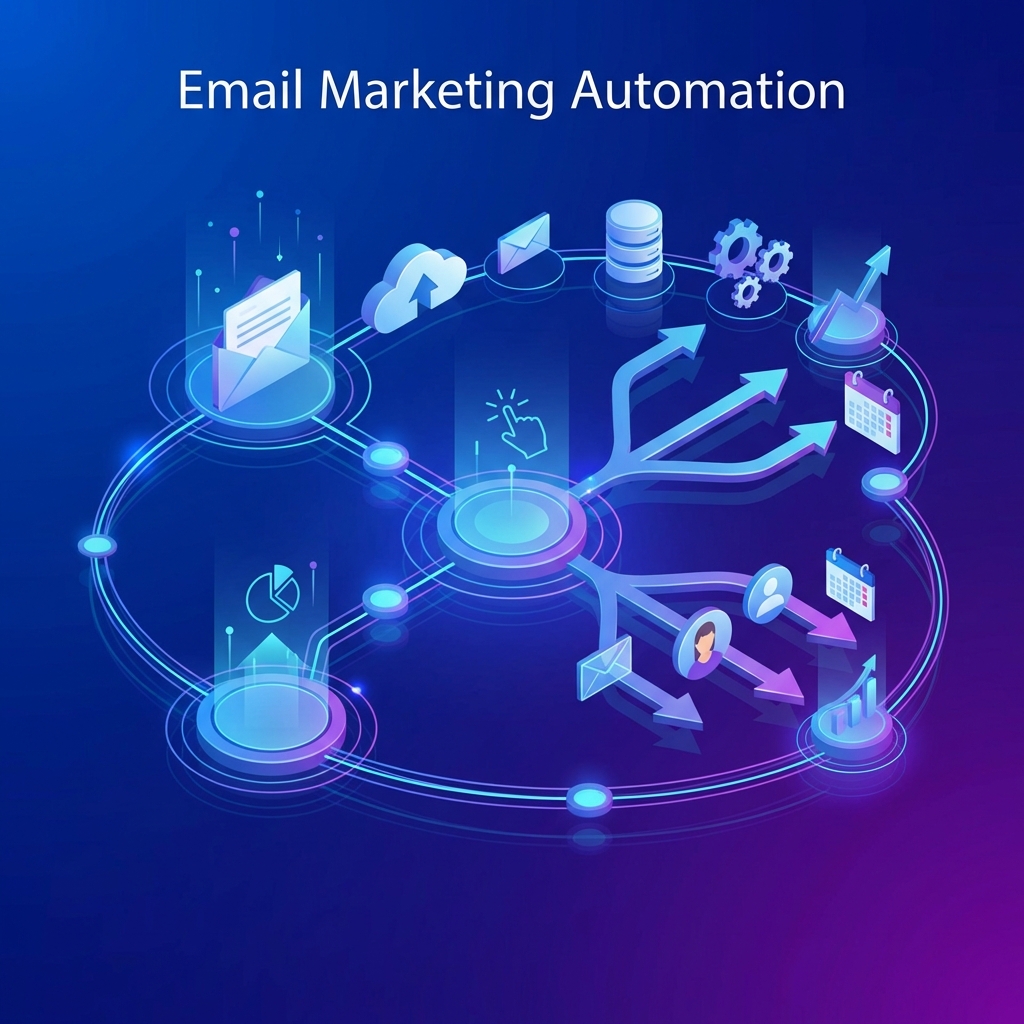
Email marketing remains one of the highest-ROI digital marketing channels in 2025, delivering an average return of $36 for every $1 spent. But manually sending emails to growing subscriber lists is neither scalable nor strategic. This is where email marketing automation transforms your marketing efforts.
Email automation allows you to send the right message to the right person at the right time—automatically. From welcome sequences that nurture new subscribers to abandoned cart reminders that recover lost revenue, automation workflows work 24/7 to engage your audience, build relationships, and drive conversions.
This comprehensive guide covers everything you need to master email marketing automation in 2025: the best tools, essential workflows, segmentation strategies, deliverability best practices, and proven tactics to maximize ROI.
What is Email Marketing Automation?
Email marketing automation is the use of software to automatically send targeted, personalized emails to subscribers based on predefined triggers, behaviors, or schedules. Unlike manual email campaigns that require you to hit "send" each time, automated emails are triggered by specific actions or time intervals.
Common automation triggers include:
- User actions: Subscribing to your list, downloading a resource, clicking a link, or abandoning a cart
- Behavioral triggers: Browsing specific product pages, spending time on your site, or past purchase behavior
- Time-based triggers: Date someone subscribed, birthday/anniversary dates, or days since last purchase
- Segmentation criteria: Customer lifecycle stage, engagement level, demographic data, or purchase history
Modern email automation platforms use sophisticated logic to create complex workflows that adapt based on subscriber behavior, ensuring each person receives the most relevant content for their journey.
Why Automate Your Email Marketing?
Email automation delivers significant benefits that manual campaigns simply cannot match:
Key Benefits of Email Automation
- Save 80% of your time: Automated workflows run continuously without manual intervention, freeing you to focus on strategy
- Increase revenue by 320%: Automated emails generate 320% more revenue than non-automated emails according to Campaign Monitor
- Improve conversion rates: Triggered emails have 70.5% higher open rates and 152% higher click-through rates than standard emails
- Deliver personalization at scale: Send individualized content to thousands of subscribers based on their behavior and preferences
- Never miss an opportunity: Respond instantly to subscriber actions 24/7, even while you sleep
- Nurture leads systematically: Guide prospects through your sales funnel with consistent, relevant touchpoints
- Recover abandoned revenue: Automated cart abandonment emails alone recover 10-30% of lost sales
Best Email Marketing Automation Tools 2025
Choosing the right email automation platform depends on your business size, budget, technical requirements, and marketing sophistication. Here are the top tools in 2025:
1. Mailchimp - Best for Beginners
Pricing: Free (up to 500 contacts) | Essentials $13/month | Standard $20/month | Premium $350/month
Best for: Small businesses, beginners, simple automation needs
Mailchimp remains the most popular email marketing platform for good reason. Its intuitive interface, generous free tier, and comprehensive automation features make it ideal for businesses just starting with email marketing. The visual automation builder lets you create complex workflows without coding.
Key Features:
- Pre-built automation templates for common workflows
- Advanced segmentation based on behavior and demographics
- A/B testing for subject lines, content, and send times
- Predictive insights and send time optimization
- Integration with 300+ apps including Shopify, WooCommerce, and WordPress
Best Use Cases: Welcome series, abandoned cart recovery, birthday emails, product recommendations, re-engagement campaigns
2. ActiveCampaign - Best for Advanced Automation
Pricing: Starts at $29/month (1,000 contacts) | Plus $49/month | Professional $149/month
Best for: Advanced marketers, e-commerce, B2B companies
ActiveCampaign is the powerhouse for sophisticated automation workflows. It combines email marketing, marketing automation, CRM, and sales automation in one platform. The visual automation builder is incredibly flexible, allowing if/then logic, conditional branching, and complex multi-step sequences.
Key Features:
- Conditional content blocks for dynamic personalization
- Advanced lead scoring and tagging system
- Machine learning for predictive sending and win probability
- Site tracking and event tracking for behavioral triggers
- Built-in CRM with sales automation workflows
- SMS marketing integration
Best Use Cases: Complex lead nurturing, behavior-triggered campaigns, sales automation, customer lifecycle marketing, multi-channel campaigns
3. HubSpot Email Marketing - Best Free CRM Integration
Pricing: Free (up to 2,000 emails/month) | Marketing Hub Starter $45/month | Professional $800/month
Best for: B2B companies, content marketers, businesses wanting full CRM
HubSpot's free tier includes robust email automation capabilities with full CRM integration at no cost. This makes it incredibly valuable for B2B companies that need to align marketing and sales. The all-in-one platform includes email, landing pages, forms, analytics, and more.
Key Features:
- Free CRM with unlimited contacts and users
- Drag-and-drop email builder with smart content
- List segmentation based on lifecycle stage, behavior, and properties
- Automated lead scoring and contact property updates
- Full marketing analytics and attribution reporting
Best Use Cases: B2B lead nurturing, content marketing workflows, sales enablement, customer onboarding, lifecycle marketing
4. Klaviyo - Best for E-commerce
Pricing: Free (up to 250 contacts) | Starts at $20/month based on contact volume
Best for: E-commerce stores, Shopify users, product-based businesses
Klaviyo is purpose-built for e-commerce and integrates deeply with platforms like Shopify, WooCommerce, and BigCommerce. It excels at product recommendations, abandoned cart recovery, and customer retention campaigns using purchase data and browsing behavior.
Key Features:
- Deep e-commerce platform integrations with real-time data sync
- AI-powered product recommendations based on purchase history
- Advanced segmentation using purchase behavior and predicted lifetime value
- Pre-built flows for abandoned cart, browse abandonment, post-purchase, and win-back
- SMS marketing included with unified customer profiles
Best Use Cases: Abandoned cart recovery, post-purchase sequences, customer win-back campaigns, VIP customer nurturing, cross-sell/upsell automation
Essential Email Automation Workflows
Certain automation workflows deliver outsized results. Here are the must-have sequences every business should implement:
1. Welcome Email Series (3-5 Emails)
Welcome emails have the highest engagement rates (50-60% open rates) because subscribers are most interested right after joining your list. A strategic welcome series sets the tone for your relationship and drives early conversions.
Recommended sequence:
- Email 1 (Immediate): Welcome message, deliver promised lead magnet, set expectations for email frequency
- Email 2 (Day 2): Share your brand story, introduce your products/services, provide social proof
- Email 3 (Day 4): Offer exclusive discount or value proposition for new subscribers
- Email 4 (Day 7): Educational content or customer success stories
- Email 5 (Day 10): Clear call-to-action for next step (purchase, book call, engage with content)
2. Abandoned Cart Recovery (3 Emails)
With average cart abandonment rates at 70%, recovery emails are critical for e-commerce. These emails recover 10-30% of abandoned sales when executed properly.
Recommended sequence:
- Email 1 (1 hour later): Gentle reminder showing cart contents, single CTA to complete purchase
- Email 2 (24 hours later): Add urgency (limited stock, price increase), include customer reviews
- Email 3 (3 days later): Final chance with incentive (10% discount, free shipping)
3. Post-Purchase Follow-Up
The customer journey doesn't end at purchase. Post-purchase emails build loyalty, encourage reviews, and drive repeat purchases.
Recommended sequence:
- Order confirmation (Immediate): Receipt, order details, estimated delivery
- Shipping notification (When shipped): Tracking information, delivery timeline
- Product tips (3-5 days after delivery): How to use the product, tutorials, best practices
- Review request (10-14 days after delivery): Ask for product review and feedback
- Cross-sell/upsell (30 days after purchase): Recommend complementary products
4. Re-engagement Campaign for Inactive Subscribers
Re-engagement campaigns win back subscribers who haven't opened emails in 60-90 days. These campaigns can reactivate 12-15% of dormant subscribers.
Recommended sequence:
- Email 1: "We miss you" message with special offer or compelling content
- Email 2 (7 days later): Preference center to update email frequency or interests
- Email 3 (7 days later): Final email asking if they want to stay subscribed, option to unsubscribe
Advanced Segmentation Strategies
Segmentation is what separates average email automation from exceptional results. Segmented campaigns generate 58% of all email revenue despite being only 20% of sends.
Effective segmentation criteria:
- Demographic: Age, location, job title, company size
- Behavioral: Email engagement (opens, clicks), website activity, purchase history
- Psychographic: Interests, preferences indicated through surveys or content interaction
- Lifecycle stage: New subscriber, lead, customer, VIP, at-risk
- Engagement level: Highly engaged (opened last 3 emails), moderately engaged, inactive
- Purchase data: Average order value, purchase frequency, product categories purchased
Advanced segmentation tactics:
- Create dynamic segments that automatically update based on real-time behavior
- Use predictive analytics to segment by likelihood to purchase or churn
- Combine multiple criteria (e.g., "engaged subscribers in California who purchased in last 30 days")
- Test different segments to identify your highest-value audiences
Improving Email Deliverability
Even the most brilliant automation workflow fails if your emails don't reach the inbox. Email deliverability requires ongoing attention and technical setup.
Essential deliverability practices:
- Authenticate your domain: Set up SPF, DKIM, and DMARC records to prove you're a legitimate sender
- Use double opt-in: Confirm email addresses to ensure list quality and engagement
- Maintain list hygiene: Remove bounces immediately, suppress unengaged subscribers after 6-12 months
- Monitor sender reputation: Use tools like Google Postmaster Tools and Sender Score to track your reputation
- Warm up new domains: Gradually increase sending volume when using a new domain or IP address
- Avoid spam triggers: Don't use all caps, excessive exclamation points, or misleading subject lines
- Provide clear unsubscribe: Make it easy to opt-out to avoid spam complaints
- Segment by engagement: Send less frequently to inactive subscribers to preserve sender reputation
Measuring Email Automation Success
Track these key metrics to optimize your email automation performance:
- Open Rate: Benchmark 20-25% (varies by industry). Test subject lines, sender names, and send times.
- Click-Through Rate (CTR): Benchmark 2-5%. Optimize email design, CTA placement, and content relevance.
- Conversion Rate: Percentage who complete desired action. Track by workflow and optimize for revenue.
- Revenue Per Email: Total revenue divided by emails sent. Key metric for ROI measurement.
- List Growth Rate: New subscribers minus unsubscribes/bounces. Aim for 2-3% monthly growth.
- Unsubscribe Rate: Should stay below 0.5%. Higher rates indicate poor targeting or frequency.
- Spam Complaint Rate: Must stay below 0.1% to maintain good deliverability.
- Deliverability Rate: Percentage reaching inbox (not spam/bounced). Aim for 95%+.
Email Automation Best Practices 2025
Follow these proven practices to maximize automation effectiveness:
- Start simple: Begin with one or two workflows (welcome series and abandoned cart), then expand
- Personalize beyond first name: Use dynamic content, product recommendations, and behavioral data
- Test everything: A/B test subject lines, send times, content, and CTAs systematically
- Mobile-first design: 60%+ of emails are opened on mobile; optimize for small screens
- Set clear goals: Define success metrics for each workflow before launching
- Monitor and optimize: Review performance monthly and iterate based on data
- Respect frequency: Don't overwhelm subscribers; use suppression rules to limit daily emails
- Maintain brand consistency: Use consistent voice, design, and messaging across all automated emails
- Focus on value: Every email should provide value, not just promotional content
- Stay compliant: Follow GDPR, CAN-SPAM, and CASL regulations for email marketing